
Binary to Octal Converter
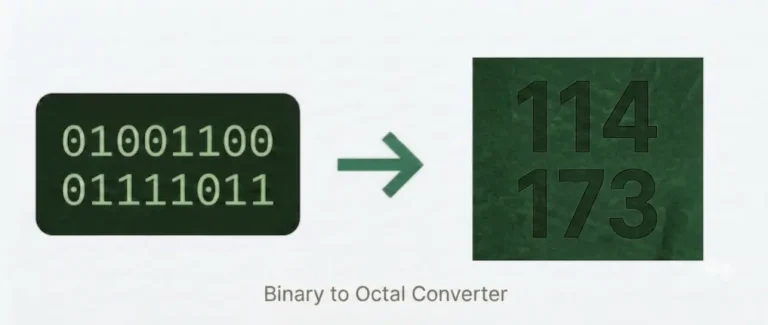
Enter a binary number below to instantly convert it to octal. Each group of three bits maps to one octal digit — no signup, completely free.
What is Binary to Octal Conversion?
Binary (base-2) and octal (base-8) are both number systems used in computing, and they share a uniquely clean mathematical relationship: 2³ = 8. That single fact is why converting between them is faster and simpler than any other base conversion — no multiplication, no division, no intermediate steps. Every group of exactly three binary digits maps to exactly one octal digit, every time.
Octal sits between binary and hexadecimal in terms of compactness. Where binary uses 1s and 0s exclusively and hexadecimal compresses four bits into one symbol, octal compresses three bits into one digit from 0 to 7. It produces a shorter, more readable representation of binary data without the letter characters (A–F) that hexadecimal introduces.
How to Convert Binary to Octal?
The conversion uses a direct substitution method. No decimal conversion is needed.
Step 1 — Group into triads. Starting from the rightmost bit, divide the binary number into groups of three bits. Work from right to left.
Step 2 — Pad the leftmost group. If the leftmost group has fewer than three bits, add leading zeros on the left to complete it. This does not change the value.
Step 3 — Substitute each group. Replace each three-bit group with its octal equivalent using the lookup table below.
Step 4 — Combine. Write the octal digits in order from left to right. That is your result.
Worked example — converting 110100:
| Group | Binary | Octal |
|---|---|---|
| Left | 110 | 6 |
| Right | 100 | 4 |
Result: 64
Worked example — converting 10010 (odd-length input):
Five bits — pad to six: 010 010 → 2 and 2 → 22
Converting binary fractions works the same way with one difference: the integer part is grouped right to left as normal, but the fractional part (after the binary point) is grouped left to right, padding with zeros on the right if needed.
Example — 11.1 in binary:
- Integer part:
011→ 3 - Fractional part:
100(padded right) → 4 - Result: 3.4 in octal
Where Octal Is Actually Used?
Octal is not just a classroom exercise. It has specific, active real-world uses that distinguish it from binary-to-decimal and binary-to-hex conversion:
Unix and Linux file permissions. This is octal’s most common practical application today. Every file and directory on a Unix-like system has three permission sets — owner, group, and others — each controlling read (r), write (w), and execute (x) access. Each set of three permission flags is exactly three binary bits, which maps directly to one octal digit.
When you run chmod 755 script.sh, you are writing three octal digits, each representing a three-bit binary permission mask:
| Octal | Binary | Permissions |
|---|---|---|
| 7 | 111 | rwx (read, write, execute) |
| 5 | 101 | r-x (read, execute) |
| 5 | 101 | r-x (read, execute) |
chmod 755 sets the full binary mask to 111 101 101 — owner gets full control, group and others can read and execute but not write. The three-bit grouping is not a coincidence: octal was chosen for Unix permissions precisely because it aligns perfectly with the three-bit permission structure.
C and Python octal literals. In C and C++, any integer literal with a leading zero is interpreted as octal — 0755 means the octal value 755, not decimal 755. In Python 3, the prefix is 0o (e.g., 0o755). Both are used extensively when setting file permissions programmatically.
Legacy computing systems. Early mainframe architectures — including the PDP-8 (12-bit words) and IBM 7090 (36-bit words) — used word sizes that were multiples of three, making octal the natural compact notation. Much legacy documentation from the 1960s and 1970s uses octal throughout.
Aviation transponder codes. Aircraft squawk codes (the four-digit codes assigned by air traffic control) are octal numbers ranging from 0000 to 7777. The digits never include 8 or 9.
Binary to Octal in Code
Python: oct(int('110100', 2)) → '0o64'
Strip the prefix: oct(int('110100', 2))[2:] → '64'
JavaScript: parseInt('110100', 2).toString(8) → '64'
Java: Integer.toOctalString(Integer.parseInt("110100", 2)) → '64'
C: printf("%o", strtol("110100", NULL, 2)); → 64
Common Mistakes to Avoid
Grouping from the left instead of the right. Always start your three-bit groups from the rightmost bit. Starting from the left produces wrong results whenever the total bit count isn’t a multiple of three.
Forgetting to pad. A binary number like 1010 needs to be read as 001 010 before substitution. Skipping the leading zero turns it into 1 010, which gives the wrong answer.
Padding the fractional part on the wrong side. For bits after a binary point, pad on the right, not the left. 0.1 fractional becomes 0.100 (pad right), not 0.001 (pad left).
Expecting an 8 or 9 in the result. Octal digits only go from 0 to 7. If you get an 8 or 9, you made an error somewhere in the grouping or substitution.
FAQs
Conclusion
Binary to octal conversion is one of the most direct and practical number system conversions in computing — and once you understand the three-bit grouping method, it becomes second nature. Whether you are setting Unix file permissions with chmod, reading legacy system documentation, or working through a number systems assignment, the same rule always applies: group into threes from the right, substitute each group, combine. Use the converter above for instant results. For other binary conversions, visit the main Binary Code Converter page.