
Free Binary Translator — Convert Binary to Text
or Text to Binary Code Online
Raw binary code — strings of 1s and 0s — is how computers store and transmit every letter, number, and symbol. Without a binary translator, decoding those patterns by hand is slow, error-prone, and impractical. Paste any binary to text or type plain English to encode text to binary instantly. Supports UTF-8, ASCII, and standard 8-bit binary code — no signup, completely free.
Enter binary code as groups of eight 0s and 1s separated by spaces (e.g. 01001000 01100101). Output updates automatically as you type.
What is a Binary Translator and Converter?
A binary translator or converter is a tool that converts binary code (0s and 1s) into human-readable text and other number systems — decimal, hexadecimal, and octal. It also works in reverse, encoding text or numbers back into binary format. This tool handles binary ↔ text in real time.
Computers do not store or process data as letters or words. All information is represented internally using binary values. Encoding systems such as ASCII and UTF-8 assign each character a unique numeric value, which is then stored as a sequence of binary digits.
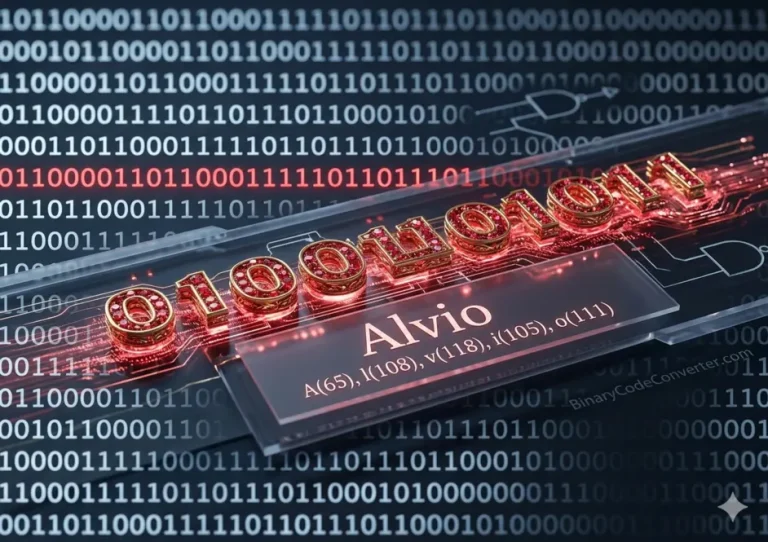
01000001 → A
01000010 → B
01000011 → C
01101000 01100101 01101100 01101100 01101111 → Hello
A binary code converter acts as a bridge between human-readable input and machine-level data — letting you instantly encode and decode information without manually working through long binary strings.
For dedicated step-by-step guides on specific conversions, visit our sub-pages: Binary to Text, Text to Binary, and Binary to Decimal.
Binary to Text Conversion Chart (ASCII & UTF-8 Table)
The table below shows how common characters map across binary, decimal, octal, and hexadecimal — all four numeric formats this converter supports. Use it to verify results or look up character codes at a glance. All values follow the ASCII standard and UTF-8 encoding.
| Character | Binary | Decimal | Octal | Hexadecimal | Unicode |
|---|---|---|---|---|---|
| A | 01000001 | 65 | 101 | 41 | U+0041 |
| B | 01000010 | 66 | 102 | 42 | U+0042 |
| C | 01000011 | 67 | 103 | 43 | U+0043 |
| Z | 01011010 | 90 | 132 | 5A | U+005A |
| a | 01100001 | 97 | 141 | 61 | U+0061 |
| z | 01111010 | 122 | 172 | 7A | U+007A |
| 0 | 00110000 | 48 | 060 | 30 | U+0030 |
| 9 | 00111001 | 57 | 071 | 39 | U+0039 |
| Space | 00100000 | 32 | 040 | 20 | U+0020 |
| ! | 00100001 | 33 | 041 | 21 | U+0021 |
| @ | 01000000 | 64 | 100 | 40 | U+0040 |
Based on the ASCII standard (RFC 20) and UTF-8 encoding (RFC 3629). For characters outside the ASCII range the converter handles multi-byte sequences automatically.
Why ASCII and Unicode Matter in Binary Conversion?
Binary digits alone carry no meaning without an agreed encoding standard. ASCII and Unicode are the contracts that tell every device on earth what a given byte represents.
ASCII (American Standard Code for Information Interchange) covers 128 characters — English letters, digits 0–9, punctuation, and control characters. Each maps to a 7-bit value stored in one byte. The letter A is always 65 decimal, 41 hex, 01000001 binary, universally, across every system.
Unicode (UTF-8) is a superset of ASCII that extends to over 1.1 million code points using 1–4 bytes per character. It supports Arabic, Chinese, Greek, emojis, and every major script. This converter uses UTF-8 throughout — so a simple emoji like 😀 encodes and decodes correctly alongside plain English text.
- ASCII focuses on standard English characters (128 code points, 1 byte each)
- Unicode (UTF-8) supports every global language, symbol, and emoji (1.1M+ code points)
- Without these standards, binary is just numbers — ASCII and Unicode give those numbers meaning
How to Use the Binary Translator?
Three steps to convert between to text and back instantly.
Step 1 — Choose your conversion mode
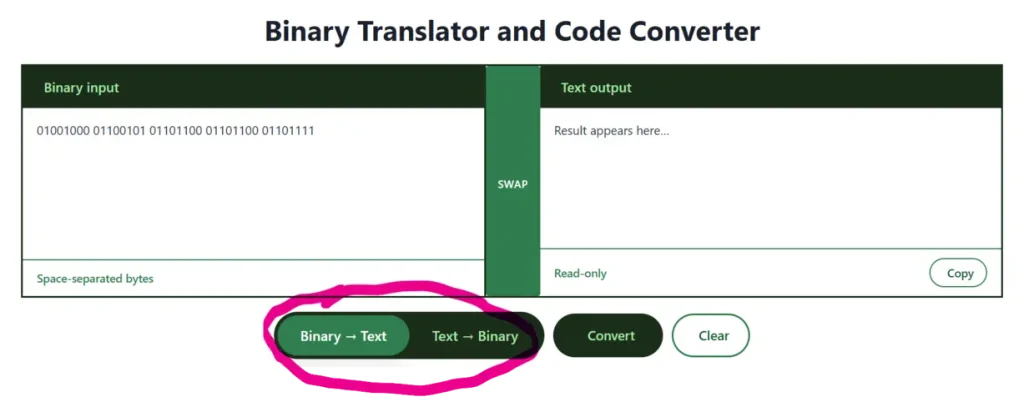
Choose your desired conversion mode. The tool stays in Binary to Text mode by default. Tap on text to binary button if you want to switch the mode.
Step 2 — Enter your value in the input box
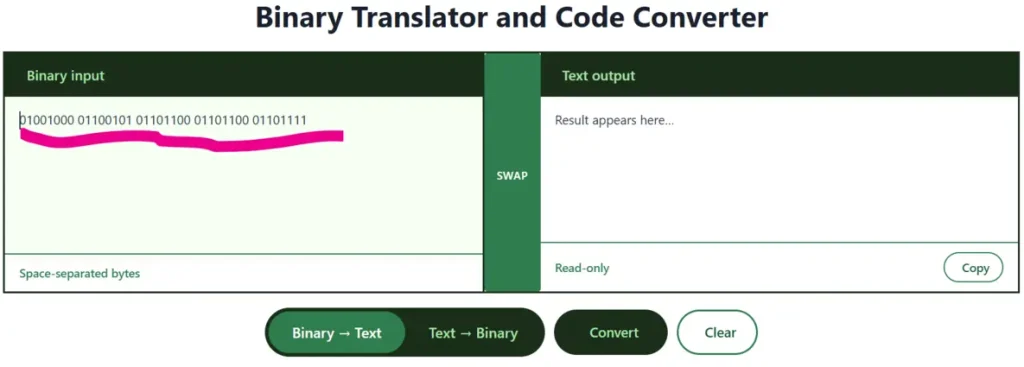
Type or paste your content into the left input box. Binary: use spaces between 8-bit groups (01001000 01101001) or as one continuous string — must be a multiple of 8 bits.
Step 3 — Convert instantly
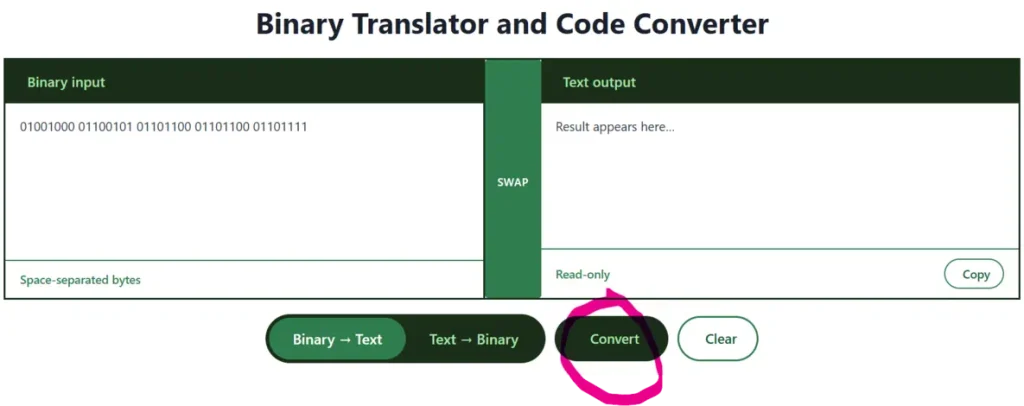
Click the Convert button — the translated result appears immediately in the right output box.
Why Use Our Binary Translator?
During high school, I didn’t have access to online binary converters — the internet was too slow and resources were limited. Years later, I built this site to make binary learning fun, fast, and accessible for everyone, whether you’re a student, a developer, or just curious about how computers work.

- 100% free, no ads, no signup — works on any device, mobile-responsive, and loads fast
- All conversions in one place — binary, decimal, hex, octal, and text, with every direction covered
- Great for students and teachers — share the tool in Google Classroom for lessons on ASCII, UTF-8, and binary fundamentals
- Fun and interactive — our games section includes Binary Sweeper, Binary Worm, and Binary Simulator for gamified learning
- Bonus tools — Cipher Tool for CTF challenges, Binary Art Generator, Music Maker, Live Clock, and more
Real-World Applications of a Binary Code Converter

Binary and hex conversion tools are used across programming, security, networking, education, and hardware — not just in the classroom. Here are seven powerful real-world applications.
Computer Programming & Low-Level Development
Firmware, embedded systems, and microcontroller code require direct bit manipulation. Viewing register values in binary shows exactly which pins, flags, or permission bits are active. Bitwise AND, OR, and XOR operations become intuitive when values are visible in binary. A binary translator quickly converts commands into the patterns a device driver or LED matrix needs.
Cybersecurity & Malware Analysis
Security analysts decode binary and hex payloads to find hidden strings inside malware. Network packet captures contain hex-encoded headers that reveal TCP flags, protocol metadata, and covert communication. Ransomware may store an encryption key as a long binary string — analysts use a binary-to-text tool to extract and decode that key, helping recover locked files.
Education & Computational Thinking
Teachers use binary translators to help students learn how computers represent letters, numbers, and colors. Converting names and messages into binary makes abstract concepts tangible. Flipping one bit and watching the output change from A (01000001) to B (01000010) demonstrates bitwise logic. Once students grasp binary, hexadecimal, ASCII, Unicode, and base64 encoding follow naturally.
Networking & Protocol Analysis
Subnet masks and CIDR notation become intuitive in binary — a /24 subnet is 24 consecutive 1-bits: 11111111.11111111.11111111.00000000. TCP header flags (SYN, ACK, FIN) are single bits; a converter helps visualize which are set. I²C, SPI, and CAN bus data logged in binary can be decoded to reveal sensor readings and error codes.
Digital Electronics & Hardware Design
Logic gates, truth tables, and FPGA configuration files are expressed in binary. ROM hacking and retro game modification relies on locating specific byte offsets in hex — in Super Mario Bros., changing the lives byte from 00000011 (3 lives) to 11111111 (255 lives) is trivial. Hobbyists building 8-bit computers use translators to check RAM contents and instruction codes.
Scientific & Data Encoding
Satellite telemetry, genomic sequences, and sensor readings are transmitted as binary frames. Converting to decimal or text surfaces temperature readings, error codes, and calibration values. NASA’s Mars rovers send camera and sensor data in binary that ground teams decode. Image pixels are stored as 8-bit values — binary-to-decimal conversion reveals exact brightness levels.
Everyday Practical Uses
QR code generation — QR codes encode binary data; converting text to binary is the first step.
AI and machine learning — neural networks process binary inputs (e.g. black/white pixel images); understanding binary helps with debugging.
Password and key recovery — some systems store keys as binary-encoded strings; a binary translator helps decode them.
Whether you are a student, developer, security analyst, or a curious mind — a binary translator is not just a toy. It is a window into how the digital world really works. Paste some binary, click convert, and see the hidden text emerge.
Whether you are a student, developer, security analyst, or a curious mind — a binary translator is not just a toy. It is a window into how the digital world really works. Paste some binary, click convert, and see the hidden text emerge.
FAQs
Conclusion
That’s it for now! Thank you for choosing binarycodeconverter.com. Explore more binary tools below, or visit our dedicated sub-pages for Binary to Text, Text to Binary, and Binary to Decimal for extended guides and examples.