
Binary to Hexadecimal Converter
Enter binary numbers below to instantly convert them to hexadecimal. Supports plain binary input with optional 0x prefix and spacing on the output — no signup, completely free.
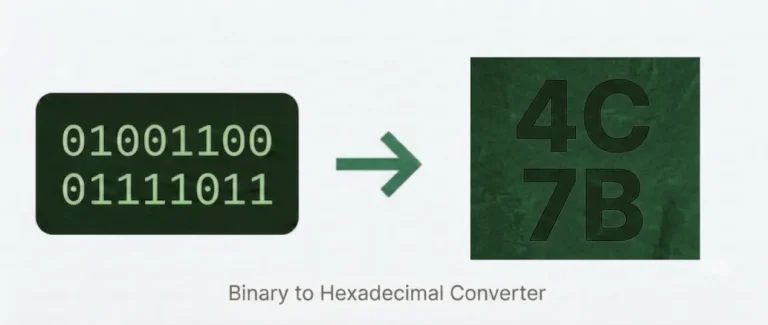
What is Binary to Hexadecimal Conversion?
Binary (base-2) and hexadecimal (base-16) are both number systems computers use — but they serve different purposes. Binary is how hardware actually stores and processes data. Hexadecimal is how developers and engineers read that data without going cross-eyed.
The reason hex is so useful is a clean mathematical fact: 2⁴ = 16. That means exactly four binary digits map to exactly one hex digit, every time, with no remainder and no ambiguity. A byte (8 bits) collapses to just two hex characters. A 32-bit memory address that would take 32 binary digits to write takes 8 hex digits instead.
This is a different kind of conversion from binary-to-decimal. When you convert binary to decimal, you are reading a number’s arithmetic value — 1010 is ten. When you convert binary to hex, you are simply re-encoding the same bit pattern into a more compact notation — 1010 becomes A. The value doesn’t change; only the representation does.
Where Hexadecimal Shows Up in Practice?
Hex isn’t just a classroom exercise. You’ll encounter it in these real-world contexts:
Web colours. Every CSS colour code is hex. #FF5733 is three hex pairs — FF (red channel), 57 (green), 33 (blue) — each representing one byte of binary data.
Memory addresses. Debuggers, hex editors, and disassemblers display RAM addresses and machine instructions in hex. An address like 0x7FFF5FBFF8DC would be unreadable as raw binary.
MAC addresses. Network interface hardware IDs are written as six hex pairs — 00:1A:2B:3C:4D:5E — each pair being one byte.
Assembly and machine code. CPU opcodes and register values in assembly language are written in hex. Understanding the binary-to-hex mapping is essential for reading disassembly output.
File headers and magic bytes. File formats are identified by their opening bytes — a PDF starts with 25 50 44 46 in hex. Security analysts and forensic investigators read these directly.
How to Convert Binary to Hexadecimal?
The method works by exploiting the 4-to-1 relationship between binary and hex digits.
Step 1 — Group into nibbles. Starting from the rightmost bit, divide the binary number into groups of four. These four-bit groups are called nibbles.
Step 2 — Pad if needed. If the leftmost group has fewer than four bits, add leading zeros on the left to complete it.
Step 3 — Convert each nibble. Replace each four-bit group with its hex equivalent using the lookup table below.
Step 4 — Combine. Write the hex digits in order from left to right. That’s your result.
Worked example — converting 10110110:
| Nibble | Binary | Hex |
|---|---|---|
| Left | 1011 | B |
| Right | 0110 | 6 |
Result: B6
No padding needed here because 10110110 is already 8 bits — two complete nibbles.
Worked example — converting 11010 (odd-length input):
Add a leading zero to make it 6 bits → 011010, then split: 0001 and 1010.
Wait — 6 bits needs padding to 8 to form two clean nibbles: 0001 1010 → 1 and A → 1A.
The tool handles all of this automatically, including the padding.w I did the first one: 1100 becomes 00001100, which is 0C (cuz 0000 = 0, 1100 = C). Easy peasy!
How to Convert Binary to Hexadecimal in Code?
Python: hex(int('10110110', 2)) → '0xb6'
JavaScript: parseInt('10110110', 2).toString(16).toUpperCase() → 'B6'
Java: Integer.toHexString(Integer.parseInt("10110110", 2)).toUpperCase() → 'B6'
C: printf("%X", strtol("10110110", NULL, 2)); → B6
For long binary strings or byte arrays, most languages also provide utility functions to format output with 0x prefix or uppercase/lowercase hex digits.
FAQs
Conclusion
Binary-to-hexadecimal conversion is one of the most practical skills in computing — it’s the bridge between raw binary data and the compact, readable notation used in debugging, colour codes, memory addressing, and hardware protocols. Use the converter above for instant results, and refer to the lookup table whenever you want to check your manual work. For other binary conversions, head back to the main Binary Code Converter page.