
Binary to Decimal Converter
Enter binary numbers below to instantly convert them to decimal. Supports space, newline, or comma-separated input — no signup, completely free.
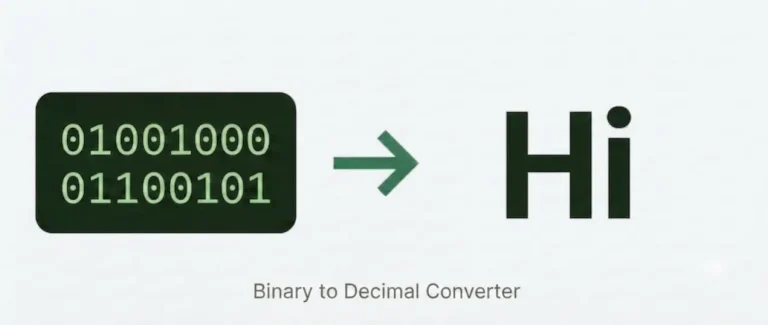
What is Binary to Decimal Conversion?
Binary (base-2) and decimal (base-10) are two different ways of writing the same number. Every value a computer stores internally — a file size, a memory address, a network subnet mask — exists as a binary number. Binary-to-decimal conversion is how you read those values as ordinary numbers.
Unlike binary-to-text conversion, which maps 8-bit groups to characters via ASCII, binary-to-decimal has nothing to do with characters or letters. It is purely arithmetic: you are reading a number written in base-2 and expressing it in base-10. A binary string like 1010 is not a code for a letter — it is simply the number ten, written in a different counting system.
How to Use Our Binary to Decimal Converter?
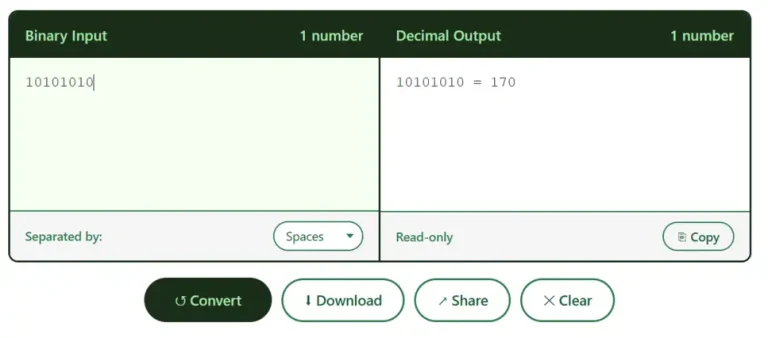
Paste or type your binary numbers into the Binary Input box. The tool accepts multiple values at once — choose whether they are separated by spaces, commas, or new lines using the dropdown. Hit Convert and each binary number appears alongside its decimal equivalent. Use Copy to grab the output, Download to save it as a text file, or Share to post your result.
How Binary to Decimal Conversion Works?
Each digit in a binary number has a positional value that is a power of 2, starting from 2⁰ at the rightmost position and doubling with every step to the left.
To convert, multiply each bit by its positional power of 2, then add the results:
Decimal = (b₀ × 2⁰) + (b₁ × 2¹) + (b₂ × 2²) + (b₃ × 2³) + …
Example — converting 1011:
| Position | Bit | Power of 2 | Value |
|---|---|---|---|
| 3 (leftmost) | 1 | 2³ = 8 | 8 |
| 2 | 0 | 2² = 4 | 0 |
| 1 | 1 | 2¹ = 2 | 2 |
| 0 (rightmost) | 1 | 2⁰ = 1 | 1 |
8 + 0 + 2 + 1 = 11
The tool performs this using JavaScript’s parseInt("1011", 2), which applies the same positional arithmetic instantly across as many numbers as you paste in.
Where You Actually Need This?
Binary-to-decimal conversion comes up in several practical situations that have nothing to do with encoding text:
IP address subnetting. IPv4 subnet masks like 11111111.11111111.11111111.00000000 are stored and transmitted in binary. Reading them as decimal (255.255.255.0) is binary-to-decimal conversion applied four times over.
Memory and storage sizes. RAM capacities, cache sizes, and storage sector counts are defined in powers of 2 — binary values that engineers read as decimal numbers.
Debugging low-level output. Microcontroller registers, status flags, and GPIO pin states are logged in binary. Converting them to decimal (or hex) is a daily task for embedded and firmware developers.
Colour channels. Each RGB channel in a colour value runs from 0 to 255 — the full range of an 8-bit binary number (00000000 to 11111111).
Binary to Decimal in Code
Most languages have a one-liner:
Python: int("1010", 2) → 10
JavaScript: parseInt("1010", 2) → 10
Java: Integer.parseInt("1010", 2) → 10
C: Use strtol("1010", NULL, 2) from <stdlib.h>
For multi-bit strings or signed representations (two’s complement), the conversion logic extends from the same positional principle — the sign bit at the leftmost position carries a negative weight.
Download Free Binary / Decimal Practice Worksheets
Choose your level and practice converting binary and decimal numbers offline.
FAQs
Conclusion
Binary-to-decimal conversion is one of the most fundamental skills in computing — whether you’re reading a subnet mask, debugging a register value, or just getting comfortable with how numbers work at the hardware level. Use the converter above whenever you need a quick result, and bookmark this page for the reference table. For text encoding, ASCII lookups, and other binary conversions, head back to the main Binary Code Converter page where all the tools live in one place.