
Binary to Morse Code
Convert between binary, Morse code, and plain text — pick a direction below, paste your input, and convert instantly. No signup, completely free.
💡 Was this tool helpful?
Binary to Morse Code Converter – 0 = dot · 1 = dash
If you’ve ever copied a string of raw binary like, (010 100 0 / 000 0010 010) from an Arduino sketch, a Pico GPIO dump, an ESP32 serial log or a late-night CTF challenge and needed to hear what it sounds like on a key or see it blink on an LED – this page was built for you.
Why this converter is different — and works correctly
Every other online converter gets this backwards. Firmware people, CTF authors, and anyone toggling a single GPIO pin use 0 for dot and 1 for dash. This tool follows that rule. No exceptions.
Three ways to use it (pick whatever you have right now)
- Got raw binary? → Paste it 010 1000 0 → .- -… . (A B E)
- Got normal text? → Type it CQ DE YOURCALL → 0100 0110 / 100 0 / 1 011 011 0100 00100 0100
- Got Morse already? → Throw it in …. .- …- . / ..-. ..- -. → 0000 001 0001 0 / 0010 001 10 → HAVE FUN
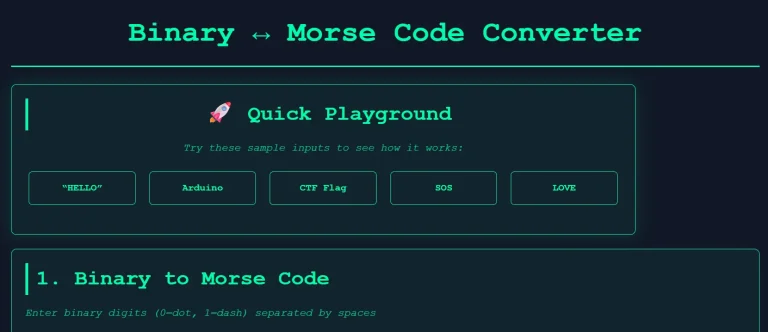
I’m not a hardcore coder either – I run a bunch of niche converter sites (like morsecodereader and binarycodeconverter) because I kept running into the same problem: every binary-to-Morse tool online swaps 0 and 1. Real hardware hackers, CTF writers, and Arduino tinkerers all treat 0 = dot and 1 = dash when they blink an LED or dump a serial stream. I got tired of fixing it myself, so I built the one I actually use and made it public. Turns out thousands of people were looking for the exact same thing.
No ads, no tracking, no cookies – just the correct mapping for once.
Who actually uses this daily
- Arduino, Raspberry Pi Pico and ESP32 developers flashing messages with one GPIO pin
- Reverse engineers and pwn adventurers hunting hidden flags in firmware dumps
- CTF teams when the hint says “listen to the bits”
- University students doing digital electronics or microcontroller labs
- Radio amateurs experimenting with beacon projects and slow-speed digital modes
Paste your bits. Hit convert. Go make something blink or beep.
73 (best regards) and keep the code tight.
Frequently Asked Questions
Why do most online tools swap 0 and 1?
They follow the official timing charts where short=0 and long=1. That’s useless when you’re actually toggling a GPIO pin. In real Arduino/ESP32/Pico code and almost every CTF challenge, 0 = dot and 1 = dash. This tool uses the mapping people actually need.
So which one is “correct” — 0=dot or 0=dash?
For blinking an LED or dumping raw bits: 0 = dot, 1 = dash is the real-world standard. That’s what you’ll see in 99 % of embedded projects and CTF puzzles.
Can I use this offline?
Yes — once loaded, it works forever with no internet. Save the page or bookmark it.
How do I separate words in binary or Morse?
Use a forward slash / — exactly like real on-air Morse.
Example: 0100 0110 / 100 1011 → CQ DX
Does it work on my phone?
100 %. Paste from a serial app, CTF write-up, or hex dump and convert instantly.
Any ads or tracking?
None. Ever. I hate that stuff too.
That’s all — you now have the only binary ↔ Morse converter on the internet that actually treats 0 as dot and 1 as dash, the way real firmware and CTF challenges do it.
More Tools You’ll Actually Use
Same no-nonsense style. Built for firmware tinkerers and CTF players.
All free, all work offline once loaded, all built because the other ones online were wrong or annoying.
Happy blinking, and keep the bits clean. 73