
Binary Music Maker
Turn any binary sequence — or plain text converted to binary — into musical tones. Choose an instrument, playback style, tempo, and volume, then watch the piano roll and waveform light up as it plays. Export the result as a real downloadable WAV file.
Binary to Sound Mapping
Each “1” bit triggers a musical note or tone, while “0” bits represent silence. The pattern of 1s and 0s creates rhythm and melody.
Frequency Mapping
Binary sequences can be mapped to musical scales — 8-bit sequences can represent notes across an octave, turning raw data into melody.
Rhythm Creation
The spacing between 1s creates rhythmic patterns. Consecutive 1s play chords, while spaced-out 1s create arpeggios and melodic runs.
Real-World Applications
Binary-to-sound mapping is used in chiptunes, computer music, data sonification, and as a teaching tool for both music theory and binary systems.
Have you ever wondered that there is something like Binary Music Maker? If you haven't, you can use our tool to explore the binary phenomenon in more depth than the conventional ways. We provide you the platform where you can turn digital information into beautiful music! While learning, the program will also help you turn binary sequences (0s and 1s) or text into unique melodies. Whether you're a coder, musician, or curious explorer, our tool offers a fun and educational approach to merge the worlds of binary code and music.
What is the Binary Music Maker Tool?
The Binary music maker is an exciting tool. It helps you turn binary values into musical notes. If you type in a binary string or text, you can make sounds that match the patterns of 0s and 1s. Each "1" bit makes a note or tone, and each "0" bit makes a rest. Together, they make rhythms and melodies.
Key Features
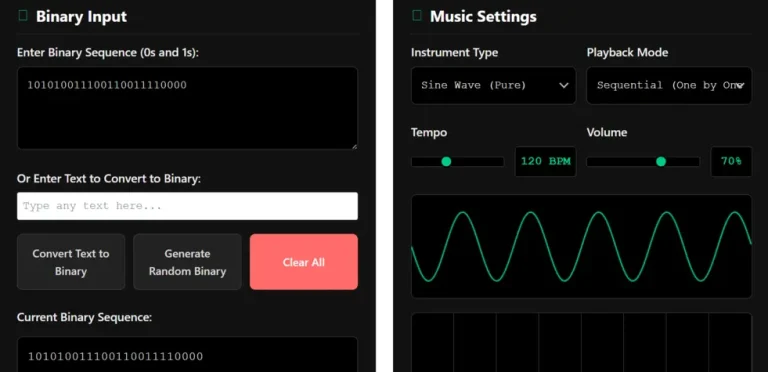
- Binary Input: Helps you enter a binary sequence, like10101001, to create music.
- Text-to-Binary Conversion: Change any text into binary code and play it as music.
- Instrument Options: Choose from sine, square, sawtooth, triangle waves, piano, or synthesizer sounds.
- Playback Modes: Try out Sequential, Chord, Melody, or Rhythm modes to see how binary is read in different ways.
- Preset Patterns: Use built-in binary sequences like Alternating Pattern, Byte Pattern, or Random Melody.
How to Use the Binary Music Maker Tool?
- Enter a Binary Sequence: Type or paste a string of 0s and 1s into the Binary Input box. There are no spaces so that people can be more free.
- Convert Text to Binary: This tool will turn any text you type into binary, which is a string of 8-bit values for each character.
- Choose Settings: - Choose a musical instrument, such as a piano or a square wave.
- Pick a way to play back.
- Sequential: Plays each part in the sequence it was written.
- Chord: Plays all the 1s at the same time as a chord.
- Melody: Puts notes on a scale, like C major.
- Rhythm: Puts more emphasis on patterns throughout time.
- Change the volume and speed with the sliders.
- To hear what you've made, click the "Play Binary Music" button.
- See and Export: Look at the waveform visualiser and piano roll, then save your recording as a WAV file.
Advantages of using Binary Music Maker
- Learn how binary coding relates to music theory and sound.
- Creative: Mix coding with music to make new pieces of music.
- Fun and Interesting: Turn data that is hard to grasp into something you can hear and enjoy.
Frequently Asked Questions
Want to turn a custom message, name, or secret phrase into music? First convert your text into binary using our binary code translator on the homepage — then paste the result here and hit Play to hear your words become a melody!