
The Ultimate Binary Test Online
Test your binary skills across three levels — decimal conversion, hex & addition, and bitwise logic. No signup, completely free.
Computer science isn’t just about writing code; it is about understanding how data exists at the machine level. This Binary Test Online is an algorithmic assessment tool designed to move you beyond simple memorization.
Unlike static quizzes that cycle through the same ten questions, this tool generates unique problems in real-time. Whether you are a student learning Base-2 for the first time or a systems engineer practicing bit masking for an interview, this suite adapts to your skill level.
How to Use the Binary Test Tool?
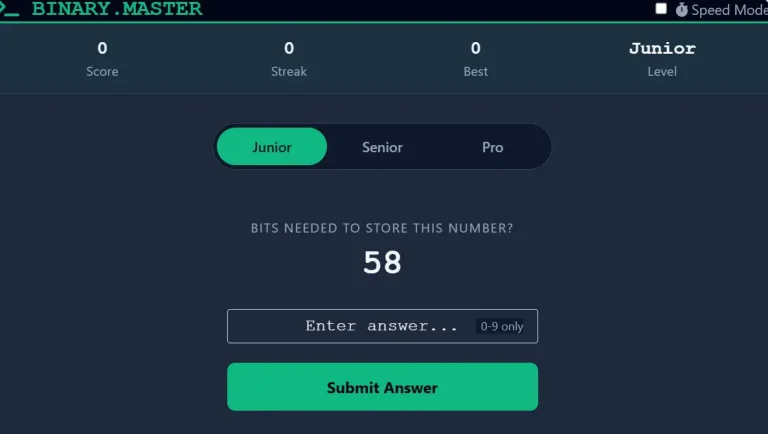
We have structured this tool into three distinct difficulty tiers. Select your level using the tabs in the interface.
1. Junior Mode (The Fundamentals)
- Target Audience: CS Students, Bootcamp Beginners.
- Concepts Tested: Binary-to-Decimal conversion, Decimal-to-Binary conversion, and Bit Counting.
- Why Practice This: You must develop an intuitive sense of binary place values (
1,2,4,8,16,32,641, 2, 4, 8, 16, 32, 641,2,4,8,16,32,64). This mode builds the mental mapping required to read binary numbers instantly without writing them down.
2. Senior Mode (Systems & Memory)
- Target Audience: Web Developers, Networking Students.
- Concepts Tested: Hexadecimal (Base-16) conversions, Binary Addition, and Binary Subtraction.
- Why Practice This: Hexadecimal is the standard for defining memory addresses, IPv6 addresses, and web colors. “Senior” mode bridges the gap between raw binary strings and the human-readable Hex format used in debugging.
3. Pro Mode (Engineering Logic)
- Target Audience: Embedded Systems Engineers, Backend Developers.
- Concepts Tested: Bitwise Operations (AND &, OR |, XOR ^, Left Shift <<).
- Visual Feature: When you solve (or fail) a bitwise question, the tool renders a Visual Bit Diagram. This shows exactly which bits are turned “ON” (1) or “OFF” (0) based on the logic gate used.
Key Features for Effective Learning
- Speed Mode (Timer): Toggle the “Speed Mode” switch in the header to activate a 30-second countdown. This forces “fast thinking,” simulating the pressure of technical exams or whiteboard interviews.
- Real-Time Validation: The input field validates your keystrokes instantly. It prevents syntax errors (like typing a “2” in a binary field) so you can focus entirely on the logic.
- Persistent Tracking: The tool saves your “Best Streak” locally. You can refresh the page without losing your high score record.
Educational Purpose: Why Learn Bitwise Operations?
In high-level programming (Python, JavaScript), bitwise operators are often overlooked. However, they are critical entities in computer architecture and optimization.
- Optimization: Bitwise operations are CPU-efficient. Multiplying by 2 using a Left Shift (<<) is faster than standard multiplication.
- Permissions Systems: Operating systems (like Linux) use bitmasks to handle file permissions. Understanding AND and OR logic is essential for system administration.
- Embedded Systems: When programming microcontrollers (Arduino, Raspberry Pi), you must manipulate individual register bits to control hardware pins.
Frequently Asked Questions
Want to verify your answers or convert any number? Try our free Binary Translator — supports binary ↔ decimal, hex, octal, and more.