
Binary to ASCII Converter — Decode Binary to Characters
Instantly Online
Struggling to decode binary into readable ASCII characters? Paste your 8-bit binary code and this tool converts each byte to its ASCII character instantly — supports all printable ASCII values (0–127), no signup, completely free.
Enter binary code as groups of eight 0s and 1s separated by spaces (e.g. 01001000 01100101). Each byte is decoded to its ASCII character. Output updates automatically as you type.
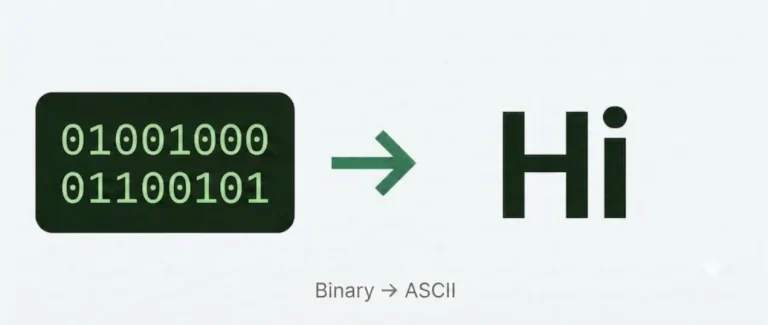
What Is Binary to ASCII Conversion?
ASCII (American Standard Code for Information Interchange) is a character encoding standard that assigns a number from 0 to 127 to every letter, digit, punctuation mark, and control character used in English text. Your computer stores and transmits these numbers in binary — as sequences of 0s and 1s.
Binary to ASCII conversion is the process of decoding those 0s and 1s back into readable characters. Each group of 8 binary digits (one byte) maps to a single ASCII value, which maps to a single character. For example, the binary sequence 01001000 equals decimal 72, which is the letter H in ASCII.
How to Convert Binary to ASCII Manually
If you want to understand what’s happening under the hood, here’s how to decode binary to ASCII by hand.
Step 1 — Split into 8-bit groups
Binary text is always structured in bytes. Divide your binary string into groups of 8 digits. Each group represents one character.
Example: 01001000 01100101 01101100 01101100 01101111
That’s 5 bytes, so you’ll get 5 characters.
Step 2 — Convert each byte to decimal
Assign powers of 2 to each bit position, from left (2⁷ = 128) to right (2⁰ = 1). Add up the values wherever a 1 appears.
Example for 01001000:
| Bit | 0 | 1 | 0 | 0 | 1 | 0 | 0 | 0 |
|---|---|---|---|---|---|---|---|---|
| Power of 2 | 128 | 64 | 32 | 16 | 8 | 4 | 2 | 1 |
| Value | 0 | 64 | 0 | 0 | 8 | 0 | 0 | 0 |
64 + 8 = 72
Step 3 — Match the decimal to its ASCII character
Look up 72 in the ASCII table — it’s the letter H.
Repeat for each byte:
| Binary | Decimal | ASCII |
|---|---|---|
| 01001000 | 72 | H |
| 01100101 | 101 | e |
| 01101100 | 108 | l |
| 01101100 | 108 | l |
| 01101111 | 111 | o |
Result: Hello
ASCII vs UTF-8 — What’s the Difference?
ASCII covers 128 characters (0–127) — enough for standard English text. UTF-8 is a superset that extends this to cover accented characters, non-Latin scripts, symbols, and emoji using multi-byte sequences.
This tool handles standard ASCII (0–127). If your binary includes values above 127, use the Binary to Text Converter instead, which supports full UTF-8 decoding.
Why Would You Need to Convert Binary to ASCII?
- Programming and debugging — inspecting raw binary data in network packets, file headers, or memory dumps
- Cybersecurity — decoding obfuscated strings, malware payloads, or binary-encoded shellcode
- Computer science education — understanding how computers represent and store text at the lowest level
- CTF challenges — Capture The Flag competitions frequently encode flags as binary strings
- Data recovery — extracting readable text from corrupted or partially-readable binary files
Frequently Asked Questions
Practice: Decode 01010011 01110100 01110101 01100100 01111001 using the steps above, then paste it into the tool to check your answer.